Wednesday, September 16, 2015


Monday, May 5, 2014
How To Create A Website Domain And Setup It With Blogger Using DynaDot

Hey Guys! On Many Requests from my visitors I have posted this post,
Today I am showing you That How to setup Domain To Blogger Using DynaDot
First of all I am telling you why i am using Dynadot
Features of DynaDot:
- Fast Service
- Get 5$ by reffering someone (both will get 5$)
- DynaDot DNS (Domain Name Servers) Updated Every 5 Minutes Yes! Every 5 Minutes
- Easy Setup
- Fast Support
How To Setup Domain
- Buy A Domain From DynaDot By Clicking Here
- Give Them Real Information
- When You Pay Money Your Order Will Be Proceeds
- Confirm The Phone Verification
- Go to Domains>Manage>DynaDot DNS
- Open Google.com by Clicking here
- Type IP It will show your IP
- Create 4 A records and Type Your IP
- Type Same IP in First Box
- Type Your IP in Second Box And Add 2 In the Number Before Last Dot (.) e.g Mine is
- 198 I added 200
- Then in third box I added 202
- In forth I added 204 As Hown In Pics
- Add Cname Record Ghs.Google.com With WWW
- Go to Blogger>Settings
- Click On + Set up a third-party URL for your blog
- Add Your Domain e.g, (www.yourdomain.com)
- Click On Save You Are Ready
- Don't Forget To To leave Comments :)
1

2

3

4

5

Sunday, May 4, 2014
PeerBlock 1.2

Peer-Block lets you control who your computer "talks to" on the Internet. By selecting appropriate lists of "known bad" computers, you can block communication with advertising or spyware oriented servers, computers monitoring your p-2-p activities, computers which have been "hacked", even entire countries!
They can't get in to your computer, and your computer won't try to send them anything either.
And best of all, it's free!
Peer-Block is a continuation of Peer Guardian.

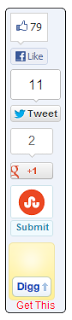
Floating Social Media Sharing Sidebar Buttons : Facebook, twitter, GooglePlus, Digg, StumbleUpon

Most of the bloggers Don't Know that how to add floating sidebar sharing button in blogger,
Today I am showing you that how to add this widget in Blogger.
Social Media or Social Share button is used to play a vital role in blogging. Submitting your
blog post in the social bookmarking sites will help to increase blog traffic and the search
engines can easily find you blog post with the help of social bookmarking sites.
Social Media Sharing sidebar Buttons help to spread your blog post and more chance of
visitors will come on your blog. Share Sidebar contains collection of popular social media
sharing buttons which you can add to the sidebar. Social Media Buttons including Facebook,
Twitter, Digg, StumbleUpon and Google Plus.
The sidebar will increase sharing by 20-30% because of its unique and permanent position.
I strongly suggest you guys to have a floating social media icons in the sidebar as the share
options will be made visible across the blog posts and helps you and the readers to engage
themselves in the conversations and advances the chances of sharing the blog posts.
We have included Facebook Share, Tweet, Stumble, Google Plus and Digg This buttons in the bar. Each of them comes with a live counter.
blog post in the social bookmarking sites will help to increase blog traffic and the search
engines can easily find you blog post with the help of social bookmarking sites.
Social Media Sharing sidebar Buttons help to spread your blog post and more chance of
visitors will come on your blog. Share Sidebar contains collection of popular social media
sharing buttons which you can add to the sidebar. Social Media Buttons including Facebook,
Twitter, Digg, StumbleUpon and Google Plus.
The sidebar will increase sharing by 20-30% because of its unique and permanent position.
I strongly suggest you guys to have a floating social media icons in the sidebar as the share
options will be made visible across the blog posts and helps you and the readers to engage
themselves in the conversations and advances the chances of sharing the blog posts.
We have included Facebook Share, Tweet, Stumble, Google Plus and Digg This buttons in the bar. Each of them comes with a live counter.
 How to Add This Widget
- First Of All Go to Blogger>Blog>Layout
- Click on Add a Gadget
- Add the below code in that window
- Click on Save Button
- Your Widget is successfully Install
- Don't forget to leave comments
<!–sidebar floating share buttons by http://www.softsoftwares.com code start–><br /><style>#pageshare {position:fixed; bottom:15%; left:10px; float:left; border: 1px solid black; border-radius:5px;-moz-border-radius:5px;-webkit-border-radius:5px;background-color:#eff3fa;padding:0 0 2px 0;z-index:10;}#pageshare .sbutton {float:left;clear:both;margin:5px 5px 0 5px;}.fb_share_count_top {width:48px !important;}.fb_share_count_top, .fb_share_count_inner {-moz-border-radius:3px;-webkit-border-radius:3px;}.FBConnectButton_Small, .FBConnectButton_RTL_Small {width:49px !important; -moz-border-radius:3px;-webkit-border-radius:3px;}.FBConnectButton_Small .FBConnectButton_Text {padding:2px 2px 3px !important;-moz-border-radius:3px;-webkit-border-radius:3px;font-size:8px;}</style><br /><div id='pageshare' title="Share This With Your Friends"><div class='sbutton' id='gb'><script src="http://connect.facebook.net/en_US/all.js#xfbml=1"></script><fb:like layout="box_count" show_faces="false" font=""></fb:like></div><div class='sbutton' id='rt'><a href="http://twitter.com/share" class="twitter-share-button" data-count="vertical" >Tweet</a><script src='http://platform.twitter.com/widgets.js' type="text/javascript"></script></div><div class='sbutton' id='gplusone'><script type="text/javascript" src="https://apis.google.com/js/plusone.js"></script><g:plusone size="tall"></g:plusone></div><div class='sbutton' id='su'><script src="http://www.stumbleupon.com/hostedbadge.php?s=5"></script></div><div class='sbutton' id='digg' style='margin-left:3px;width:48px'><script src='http://widgets.digg.com/buttons.js' type='text/javascript'></script><a class="DiggThisButton DiggMedium"></a></div><br /><div style="clear: both;font-size: 9px;text-align:center;"><a href="http://www.softsoftwares.com/2014/05/floating-social-media-sharing-sidebar.html" target="blank"><font color="red">Get This<font></font></font></a></div></div><!–sidebar floating share buttons by http://www.softsoftwares.com code end–></!–sidebar></!–sidebar>
Saturday, May 3, 2014
Best Advertise Here Text With Hover Effect

This is one of the best advertising text better than banner
Keeping Affiliate and Link Selling in view the Ad which will be placed on your site should be an attractive One.Visitors really like creativity and awesomeness of any thing in Your Web Log,it is a common problem these days that every Blogger who Place ads in his/her blog is really a dull One.In This regards,we gonna help you to add a significant Style Advertise Banner which will surely help you to get some bounty from visitors and you will get a lot of chances to get advertisement from different Companies.
Features:
- Best Text with hover effect ever.
- Attractive look
- Easy to install
How To Install
- Go to Blogger>Blog or Website>Layout
- Click on Add Gadget
- Click on Html/Javascript
- Add the Below code in that and click on save
<style>#text{-moz-transform:rotate(-5deg);-o-transform:rotate(-5deg);-webkit-transform:rotate(-5deg);color:#FFF!important;font-family:arial;font-size:60px;font-weight:300;letter-spacing:-5.5px;line-height:45px;text-align:center;margin:20px 10px}#text a{color:#333;text-shadow:1px 1px #000, 3px 3px #EEEEEE, 5px 5px #DDDDDD, 7px 7px #AAAAAA, -1px -1px #000;text-transform:lowercase;-moz-transition:all .3s ease-in 0;-webkit-transition:all .3s ease-in 0;-o-transition:all .3s ease-in 0;-kmoz-transition:all .3s ease-in 0}#text a:hover{-moz-transition:all .3s ease-in 0;-webkit-transition:all .3s ease-in 0;-o-transition:all .3s ease-in 0;-kmoz-transition:all .3s ease-in 0;text-shadow:1px 1px #000, 3px 3px #EEEEEE, 5px 5px #DDDDDD, 7px 100px transparent, -1px -100px transparent;color:transparent}inf{color:#d2a}#text a:focus,#text a:active{color:#eee!important;-moz-transition:all 0 ease-in-out!important;-o-transition:all 0 ease-in-out!important;-kmoz-transition:all 0 ease-in-out!important;-webkit-transition:all 0 ease-in-out!important}</style><div id="text" class="rent"><a href="Your URL" target="blank"><blink>⇝</blink> Place Your Ad Here.<br />Contact <inf>ADMIN for more information</inf><blink>⇜</blink></a></div><center><span id="linkit">Powered by <a href="http://www.softsoftwares.com/">SoftSoftwares.com</a> - <a href="http://www.softsoftwares.com/">Widget</a></span></center>
- Don't forget to leave comments
Friday, May 2, 2014
Recuva 1.51.1063

Recuva 1.51.1063
Recuva (pronounced "recover") is a freeware Windows utility to restore files that have been accidentally deleted from your computer. This includes files emptied from the Recycle bin as well as images and other files that have been deleted by user error from digital camera memory cards or MP3 players. It will even bring back files that have been deleted from your iPod, or by bugs, crashes and viruses!- Simple to use interface - just click 'Scan' and choose the files you want to recover
- Easy to use filter for results based on file name/type
- Simple Windows like interface with List and Tree view
- Can be run from a USB thumb drive
- Restores all types of files, office documents, images, video, music, email, anything.
- Supports FAT12, FAT16, FAT32, exFAT, NTFS, NTFS5 , NTFS + EFS file systems
- Restores files from removable media (SmartMedia, Secure Digital, MemoryStick, Digital cameras, Floppy disks, Jaz Disks, Sony Memory Sticks, Compact Flash cards, Smart Media Cards, Secure Digital Cards, etc.)
- Restores files from external ZIP drives , Firewire and USB Hard drives
- It's fast, tiny and takes seconds to run!
- This Is best top software of compression.
CDBurnerXP 4.5.3.4643

CDBurnerXP is a free application to burn CDs and DVDs, including Blu-Ray and HD-DVDs. It also includes the feature to burn and create ISOs, as well as a multilanguage interface. Everyone, even companies, can use it for free. It does not include adware or similar malicious components.
Key Features include:
- burn all kinds of discs
- audio-CDs with or without gaps between tracks
- burn and create ISO files
- data verification after burning process
- create bootable discs
- multi-language interface
- bin/nrg to ISO converter, simple cover printing and much more!
- Operating Systems: Windows 2000/XP/2003 Server/Vista/Windows 7
- It is fast reliable and easy to use.
Saturday, April 19, 2014
How To Add Facebook Like Popup Box in Blogger

Every Blogger wants to increase its Facebook fan page likes, More Facebook likes results in more traffic,
Every blogger wants to increase his blog's traffic which is most important. They use to try every way of increasing their blog's traffic and social networking is also one of the best way to increase the traffic. In the internet world, Facebook is the top first social network platform which is used in whole the world. So, Facebook is & nbsp ;most important for every blogger in increasing the traffic of his blog. Most of bloggers use to create a fan page on Facebook for their blogs in order to increase traffic and sending hot updates to their visitors. They can get more visitors and make their blog popular on Facebook just by increasing their Facebook fan page likes. So here I am giving you a best Facebook pop up like box widget for blogger. You can boost your Facebook Fan Page likes just by adding this widget in your blog.
Why We Use This Widget?
Facebook pop up like box is the best widget in increasing your fan page likes. This widget appears when someone enters into your blog, first of all, the visitor have to face this widget. Your visitor can't access your blog until he takes any action, he may like your fan page or click exit button to access your blog. Your visitors will not be annoyed by this widget by popping up again and again. If someone has liked your fan page by this widget then this widget will not appear to him next time. So friends what are you waiting for ? let's add this great widget in your blog.
Add Facebook Like Pop-up Box in Blogger
- Go to Blogger>>Template>>Edit HTML
- Search For ''</head>" using CTRL+F
- Paste The Following Java Script Just Above </head>
<script src='https://ajax.googleapis.com/ajax/libs/jquery/1.6.1/jquery.min.js'></script>
- Click save template
Note: If Java script is already install in your blog then don't add this again.
- Go to Blogger>>Layout>>Add a Gadget>>Choose Html/JavaScript
- Paste The Code Below In That
<script src="http://exeideasinternational.googlecode.com/files/jquery.colorbox-min.js"></script>
<script type="text/javascript">
jQuery(document).ready(function(){
if (document.cookie.indexOf('visited=true') == -1)
{
var fifteenDays = 1000*60*60*24*30;
var expires = new Date((new Date()).valueOf() + fifteenDays);
document.cookie = "visited=true;expires=" + expires.toUTCString();
$.colorbox({width:"400px", inline:true, href:"#exestylepopups"});
}
});
</script>
<style type="text/css">
/*
ColorBox v1.3.16
(Copyright (c) 2011 Jack Moore - jack@colorpowered.com)
*/
#colorbox,#cboxOverlay,#cboxWrapper{position:absolute;top:0;left:0;z-index:9999;overflow:hidden}#cboxOverlay{position:fixed;width:100%;height:100%}#cboxMiddleLeft,#cboxBottomLeft{clear:left}#cboxContent{position:relative}#cboxLoadedContent{overflow:auto}#cboxTitle{margin:0}#cboxLoadingOverlay,#cboxLoadingGraphic{position:absolute;top:0;left:0;width:100%}#cboxPrevious,#cboxNext,#cboxClose,#cboxSlideshow{cursor:pointer}.cboxPhoto{float:left;margin:auto;border:0;display:block}.cboxIframe{width:100%;height:100%;display:block;border:0}#cboxOverlay{background:#000;opacity:0.5 !important}#colorbox{box-shadow:0 0 15px rgba(0,0,0,0.4);-moz-box-shadow:0 0 15px rgba(0,0,0,0.4);-webkit-box-shadow:0 0 15px rgba(0,0,0,0.4)}#cboxTopLeft{width:14px;height:14px;background:url(https://blogger.googleusercontent.com/img/b/R29vZ2xl/AVvXsEgzlDYOH2QnnSORpmQVljAKViAQh9Hz6rtr6B50ynqtDFaJXnhJhz67wIyQPuwrltPBgBASUQj6gRHQIYdNDcQ4uGH28Z-9VnVBKUJfOEInKNHZpw2VahPimDmGOhGhbmBB6V_2L3mNqHg/s1600/controls.png) no-repeat 0 0}#cboxTopCenter{height:14px;background:url(https://blogger.googleusercontent.com/img/b/R29vZ2xl/AVvXsEjBmrZdMg7PZnvhK7uiuaNKIsUeFb0Pbv8qVDv3PBoPoPFe9WHsibilg7O2GT4f1J4cYPLY1LV1A9N7egrep69U5ou_vGrSIO5bubm56pzahsSlbrPcov0i9vWfGMvnhT7QZkH3cURsTx4/s400/border.png) repeat-x top left}#cboxTopRight{width:14px;height:14px;background:url(https://blogger.googleusercontent.com/img/b/R29vZ2xl/AVvXsEgzlDYOH2QnnSORpmQVljAKViAQh9Hz6rtr6B50ynqtDFaJXnhJhz67wIyQPuwrltPBgBASUQj6gRHQIYdNDcQ4uGH28Z-9VnVBKUJfOEInKNHZpw2VahPimDmGOhGhbmBB6V_2L3mNqHg/s1600/controls.png) no-repeat -36px 0}#cboxBottomLeft{width:14px;height:43px;background:url(https://blogger.googleusercontent.com/img/b/R29vZ2xl/AVvXsEgzlDYOH2QnnSORpmQVljAKViAQh9Hz6rtr6B50ynqtDFaJXnhJhz67wIyQPuwrltPBgBASUQj6gRHQIYdNDcQ4uGH28Z-9VnVBKUJfOEInKNHZpw2VahPimDmGOhGhbmBB6V_2L3mNqHg/s1600/controls.png) no-repeat 0 -32px}#cboxBottomCenter{height:43px;background:url(https://blogger.googleusercontent.com/img/b/R29vZ2xl/AVvXsEjBmrZdMg7PZnvhK7uiuaNKIsUeFb0Pbv8qVDv3PBoPoPFe9WHsibilg7O2GT4f1J4cYPLY1LV1A9N7egrep69U5ou_vGrSIO5bubm56pzahsSlbrPcov0i9vWfGMvnhT7QZkH3cURsTx4/s400/border.png) repeat-x bottom left}#cboxBottomRight{width:14px;height:43px;background:url(https://blogger.googleusercontent.com/img/b/R29vZ2xl/AVvXsEgzlDYOH2QnnSORpmQVljAKViAQh9Hz6rtr6B50ynqtDFaJXnhJhz67wIyQPuwrltPBgBASUQj6gRHQIYdNDcQ4uGH28Z-9VnVBKUJfOEInKNHZpw2VahPimDmGOhGhbmBB6V_2L3mNqHg/s1600/controls.png) no-repeat -36px -32px}#cboxMiddleLeft{width:14px;background:url(https://blogger.googleusercontent.com/img/b/R29vZ2xl/AVvXsEgzlDYOH2QnnSORpmQVljAKViAQh9Hz6rtr6B50ynqtDFaJXnhJhz67wIyQPuwrltPBgBASUQj6gRHQIYdNDcQ4uGH28Z-9VnVBKUJfOEInKNHZpw2VahPimDmGOhGhbmBB6V_2L3mNqHg/s1600/controls.png) repeat-y -175px 0}#cboxMiddleRight{width:14px;background:url(https://blogger.googleusercontent.com/img/b/R29vZ2xl/AVvXsEgzlDYOH2QnnSORpmQVljAKViAQh9Hz6rtr6B50ynqtDFaJXnhJhz67wIyQPuwrltPBgBASUQj6gRHQIYdNDcQ4uGH28Z-9VnVBKUJfOEInKNHZpw2VahPimDmGOhGhbmBB6V_2L3mNqHg/s1600/controls.png) repeat-y -211px 0}#cboxContent{background:#fff;overflow:visible}#cboxLoadedContent{margin-bottom:5px}#cboxLoadingOverlay{background:url(https://blogger.googleusercontent.com/img/b/R29vZ2xl/AVvXsEjOJW6FK4JPC-o_WVaIb78TnQYmOmNOHz8iCs1iSFZlAljyPDv6m0SUV-zGzrZA7pufdsKTo2l4AtVrXc6Lo5MMv0t2_zKJRbbwkrQTifaJRSmdzYet6FY4dEA5p8w7JxQcHUyZZD62ubM/s400/loadingbackground.png) no-repeat center center}#cboxLoadingGraphic{https://blogger.googleusercontent.com/img/b/R29vZ2xl/AVvXsEi6gEAZEimkbvA-RVUzE9yNnd3I8rfG2Bk8flMhXXf0bNSkj0igqHyfmQ6nDhZHJVOzbJGYv4coC8_Ncu9Ew9wk9Q76zzOu8mZZxasbrFauVkleFivLgPhlC-xJd7P1C6TxSkSvKOCF2bM/s400/loading.gif) no-repeat center center}#cboxTitle{position:absolute;bottom:-25px;left:0;text-align:center;width:100%;font-weight:bold;color:#7C7C7C}#cboxCurrent{position:absolute;bottom:-25px;left:58px;font-weight:bold;color:#7C7C7C}#cboxPrevious,#cboxNext,#cboxClose,#cboxSlideshow{position:absolute;bottom:-29px;background:url(https://blogger.googleusercontent.com/img/b/R29vZ2xl/AVvXsEgzlDYOH2QnnSORpmQVljAKViAQh9Hz6rtr6B50ynqtDFaJXnhJhz67wIyQPuwrltPBgBASUQj6gRHQIYdNDcQ4uGH28Z-9VnVBKUJfOEInKNHZpw2VahPimDmGOhGhbmBB6V_2L3mNqHg/s1600/controls.png) no-repeat 0px 0px;width:23px;height:23px;text-indent:-9999px}#cboxPrevious{left:0px;background-position:-51px -25px}#cboxPrevious.hover{background-position:-51px 0px}#cboxNext{left:27px;background-position:-75px -25px}#cboxNext.hover{background-position:-75px 0px}#cboxClose{right:0;background-position:-100px -25px}#cboxClose.hover{background-position:-100px 0px}.cboxSlideshow_on #cboxSlideshow{background-position:-125px 0px;right:27px}.cboxSlideshow_on #cboxSlideshow.hover{background-position:-150px 0px}.cboxSlideshow_off #cboxSlideshow{background-position:-150px -25px;right:27px}.cboxSlideshow_off #cboxSlideshow.hover{background-position:-125px 0px}#mdfb{font:12px/1.2 Arial,Helvetica,san-serif;color:#666}#mdfb a,#mdfb a:hover,#mdfb a:visited{text-decoration:none}.mdbox-title{background:#000;color:#fff;font-size:20px !important;font-weight:bold;margin:10px 0;border:20px solid #ddd;-moz-border-radius:6px;-webkit-border-radius:6px;border-radius:6px;box-shadow:5px 5px 5px #CCC;padding:10px;line-height:25px;font-family:arial !important}
</style>
<div style='display:none'>
<div id='exestylepopups' style='padding:10px; background:#fff;'>
<center><h3 class="mdbox-title">Receive all updates via Facebook. Just Click the Like Button Below...</h3></center><center>
<iframe src="//www.facebook.com/plugins/likebox.php?href=http%3A%2F%2Fwww.facebook.com%2Fsoftsoftwares&width=300&colorscheme=light&show_faces=true&border_color=%23ffffff&stream=false&header=false&height=258" scrolling="no" frameborder="0" style="border:none; overflow:hidden; width:300px; height:258px;" allowtransparency="true"></iframe>
</center>
<!--Please Do not Remove the Credits -->
<p style=" float:right; margin-right:35px; font-size:9px;" >Powered By <a style=" font-size:9px; color:#3B78CD; text-decoration:none;" href="http://www.softsoftwares.com/">www.SoftSoftwares.com</a></p>
</div></div>
- Replace Softsoftwares with your own facebook fanpage username
- Click on Save This Widget Is Successfully installed in your Blog
- Don't Forget To Leave Comments
Subscribe to:
Posts (Atom)